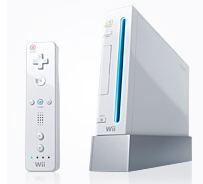
Howto play NTSC GameCube games on a European Nintendo Wii

Thomas De Maesschalck Posted on by
Some clever chaps found a way to play American or Japanese NTSC GameCube games on the European PAL version of the Nintendo Wii.

It's quite simple, it doesn't require a modchip but you have to be quite fast:
  • Insert a random European GameCube game in the Wii
  • Choose the Disc channel in the Wii menu
  • Point at the "Start" button
  • While you're pressing the start button, eject the disc out of your Wii
  • Push the A-button.
  • Take out the European GameCube disc and insert a NTSC game.
  • You should now be able to play it.

    Here's a YouTube video showing how it's done:

    Thomas De Maesschalck

    About the Author

    Thomas De Maesschalck

    Thomas has been messing with computer since early childhood and firmly believes the Internet is the best thing since sliced bread. Enjoys playing with new tech, is fascinated by science, and passionate about financial markets. When not behind a computer, he can be found with running shoes on or lifting heavy weights in the weight room.
    Thanks. Your comment is waiting for moderation.
    Your comment was published.

    Comments (0)

    No comments yet.

    Leave a comment

    Replying to