Microsoft putting ads in Windows 10 File Explorer (and how to disable it)
 Posted on
by Thomas De Maesschalck
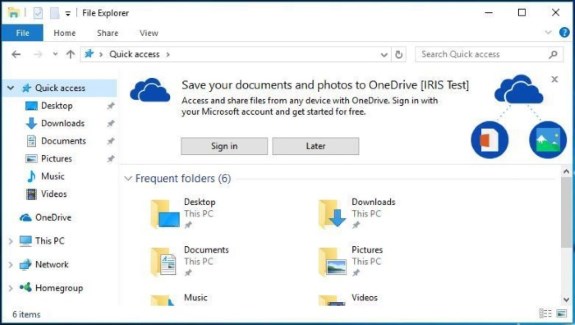
Oh boy, multiple sources report Microsoft is now serving ads for its own products and services in the Windows 10 File Explorer. InfoWorld writes users on systems with Windows 10 Anniversary Update are seeing the ads and predicts it will become more widespread once the Creators Update arrives within a couple of weeks.
Fortunately, you can disable the ads with a couple of clicks:
Fortunately, you can disable the ads with a couple of clicks:
To get rid of advertising in File Explorer – at least, this kind of advertising – start File Explorer, click View, then Options, then in the View tab, uncheck the box marked "Show sync provider notifications."The site also reports that the Microsoft ads don't seem to appear in European versions of Windows 10, nor on systems running Windows 10 Enterprise. Here's an example of how the File Explorer ads look like:
When you restart File Explorer, the ads will no longer darken your door.

Comments (0)
No comments yet.