Revoltec FightBoard Advanced keyboard review
Testing
Software
The software for the FightBoard Advanced can be found on the included CD ROM. This software is used to activate some of the keyboard's special features like the Windows key deactivation key and to program the 10 special macro keys.

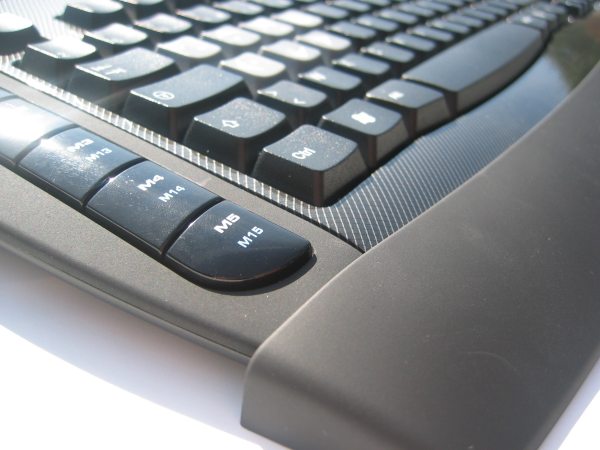
In the software panel you can assign up to 20 functions to the buttons, there are 2 modes for each of the 10 buttons.
Here's a quick overview of what you can assign to each button:
This is the screen where you can record the macro's. It's also possible to edit the recorded macro and specify exact delays (in milliseconds) .Single: Set up a button on the macro key like a keyboard key or mouse button. For the mouse button click it's also possible to specify absolute and relative coordinates, this is a more advanced feature. Macros: Record a sequence of keyboard keys and/or mouse button clicks to be played back whenever you press the button Multi layers: Switch the sequence of a single key and/or macro functions to be played back whenever you press the button
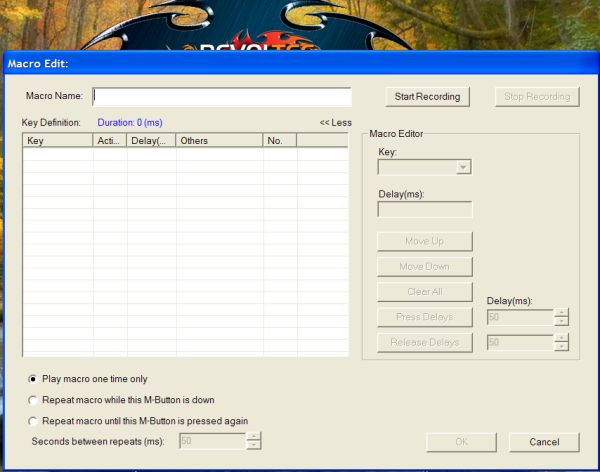
The software offers lots of options, if you encounter any problems or have questions about how it works you can check out the included manual. Revoltec wrote quite a few pages to explain to users how the software works.
Design
This is of course pretty subjective but personally, I really like the carbon theme. It looks less dull than standard grey or black keyboards. One of the things I don't really like is the tribal on the seven media keys on top of the keyboards, it may have been prettier of these keys were just black like the rest of the keys. One of the things I would like to see is a "play/pause" button. I frequently use this button and unfortunately, the FightBoard doesn't have it. This button would be more useful to me than the browser, e-mail and search buttons.
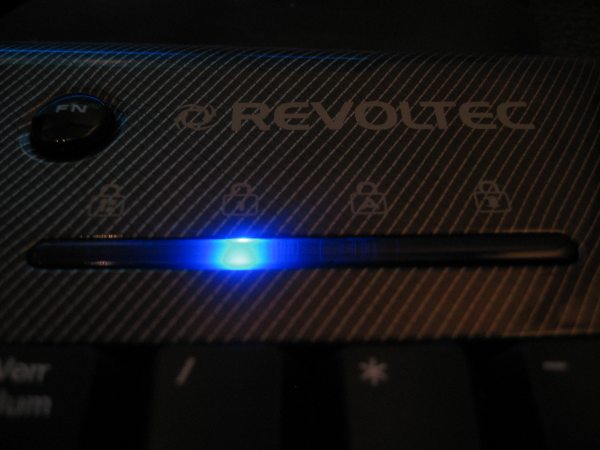
The status LEDs of the FightBoard advanced light up blue, this also looks pretty good.
One of the things about the design that is less than ideal is the length of the USB cable. It's long enough to connect it to my PC but I can imagine that it may not be long enough for some people.
Interexchangeable keys
I have mixed feelings about this feature. It's a nice gimmick but in my opinion it's not really useful. Most gamers probably don't need arrow keys on their WASD keys and an ammunition picture on the R key to remind the gamer that this button can be used to reload is probably also redundant.
Comfort
Overall the FightBoard Advanced keyboard was very pleasant to work with. The keys feel good, they have a nice response.
Conclusion
The Revoltec FightBoard Advanced is a good keyboard, but before you purchase it you have to consider whether you're really going to use the special gaming features. The FightBoard retails for about 28EUR in some European webstores. That's not really going to break the bank, but it's considerably more than the price of a basic multimedia keyboard like the Logitech Media keyboard which can be found for as cheap as 10EUR.
However, don't get me wrong, the Revoltec FightBoard Advanced isn't a bad keyboard. If you plan on using the extra features a lot and like the way the keyboard looks I definitely recommend it. But if you don't really need the 20 programmable keys, the windows key deactivation button, and the exchangeable key features then it's not really worth the premium price.
The Good Stuff
- Nice design; the carbon theme looks good
- Has 20 programmable macro key buttons with lots of options in the software
- Pleasant to work with
- Windows key deactivation button may be useful for some people
The Bad Stuff
- A few decimeter extra cable would be welcome.
Overall I give the Revoltec FightBoard Advanced a 8/10.
 Previous Page (2/3)
Added: April 19th 2007
Product reviewed: Revoltec FightBoard Advanced keyboard
Reviewer: Thomas De Maesschalck
Score: 8/10
Page: 3/3
