Sharkoon PC Jump Start review
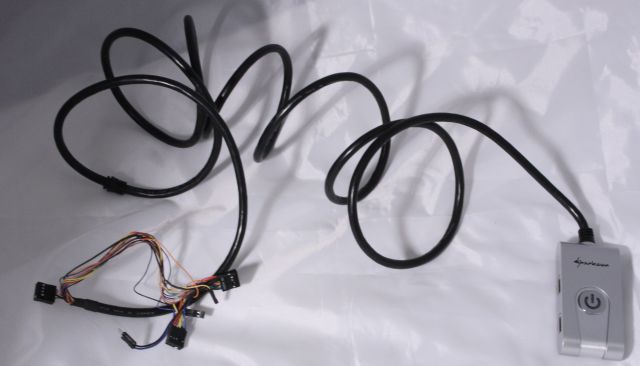
The remote has a 2.5 meters long cable attached to it, which should be more than enough to route the cable to a place where you can easily access the device. The cable is pretty stiff and relatively heavy though, so the light remote doesn't always stay perfectly in place on your desk.
Installation
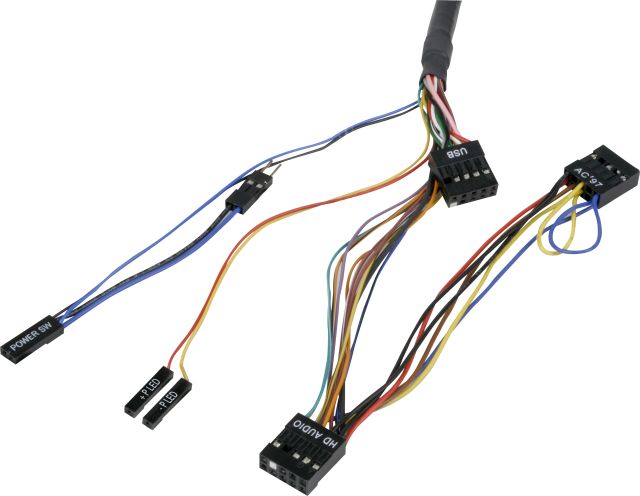
If you're experienced with building PCs the installation of the Sharkoon PC Jump Start shouldn't take more than a couple of minutes. The first step is to turn off your PSU (or unplug the cable) and remove the side panel of your case. Then you have to lead the remote's cable inside through one of the PCI slots, you can use the included PCI bracket to keep the cable in place.
The next step is to connect all the cables, it's probably easiest if you start by connecting the USB connector to one of the internal USB ports of your motherboard. Then you connect the power switch connector - you have two options here. You can make a direct connection or you can use the parallel plug in case you still want to be able to use the on/off button of your PC case. Next, you connect the power LED jacks and if you want to use the audio ports you can connect the AC'97 or HD Audio connector. Which one you need to use depends on your motherboard, AC'97 is for older motherboards.
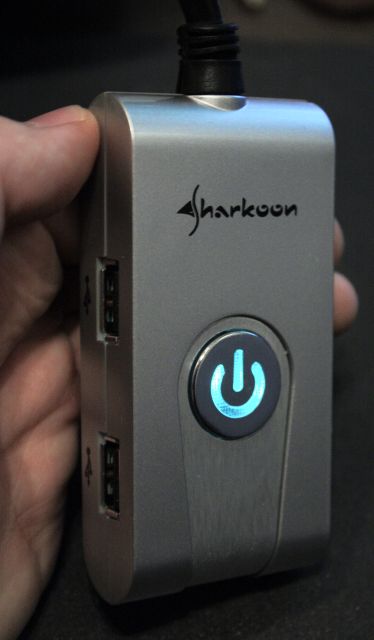
Once you've finished the installation you can bootup your system by pressing the PC Jump Start's power on/off button. After pressing the button for the first time, it will be illuminated by aquamarine blue LEDs, even when your system is off.
Conclusion
The Sharkoon PC Jump Start is a little device that can make your life a bit easier if your PC is located in a hard-to-reach position - like under your desk. It will provide you with an easy way to turn on your PC, and will prevent lots of crawling under your desk to connect USB or audio devices. The features of the PC Jump Start didn't really impress me, but it can be found in Europe for around 9EUR to 13EUR which is pretty cheap.
Overall I give the Sharkoon PC Jump Start a 8.5/10.
 Previous Page (1/2)
Added: February 28th 2009
Product reviewed: Sharkoon PC Jump Start
Reviewer: Thomas De Maesschalck
Score: 8.5/10
Page: 2/2
