ThermalTake V6 BlacX Edition review
Interior
The side panel came off quite easily and reveals the beautiful black interior of the V6 BlacX. The all-black interior is becoming pretty much standard these days, and the tool-free plastic pieces provide some flashy red highlights to the design. The interior is quite compact, even a bit too compact, but more about that will follow later in this review. According to ThermalTake, the case supports CPU coolers with a max height of 170mm (6.7 inches) and graphics cards with a max length of 280mm (11.0 inches).
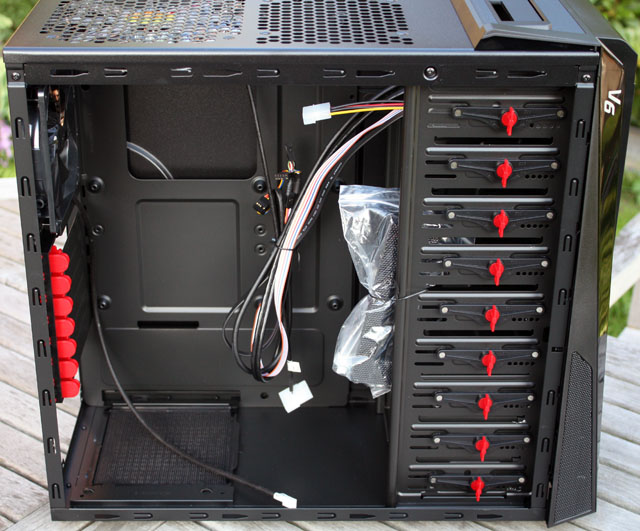
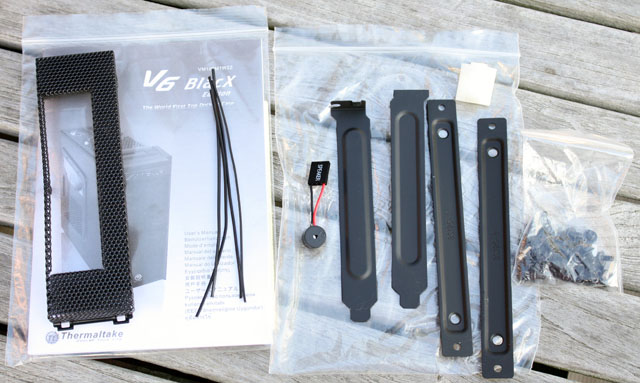
Tucked away into the case is a bag with the manual, a little bag with the usual screws, tools to install a 3.5" device, some PCI slot covers, a motherboard speaker and some wires that can be used for cable management.
The PSU is mounted in the bottom of the case.

There's a dust filter for the PSU area but unfortunately you have to take the power supply out of your case before you can get it out for cleaning.

There's room for up to seven expansion cards.
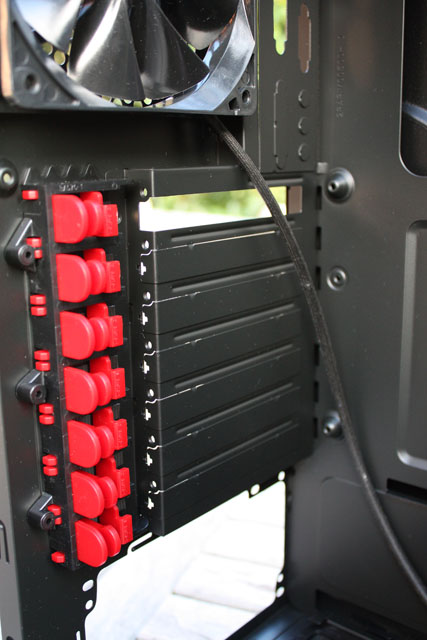
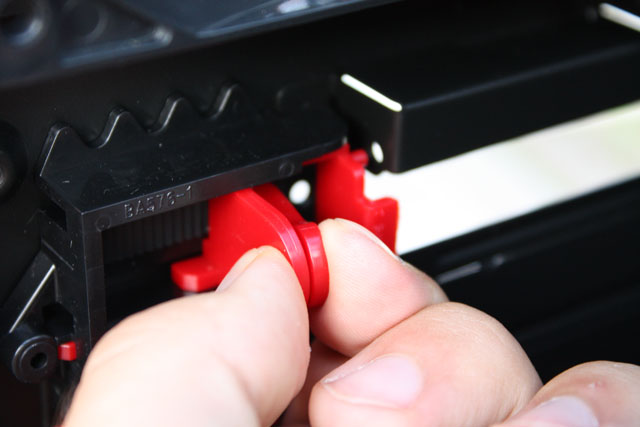
The tool-free installation mechanism uses plastic sliders with a plastic pin, you have to squeeze the plastic clips and move them forward so the pin can fasten your expansion cards. If it doesn't work or is too loose you can remove it and use screws to secure your cards.
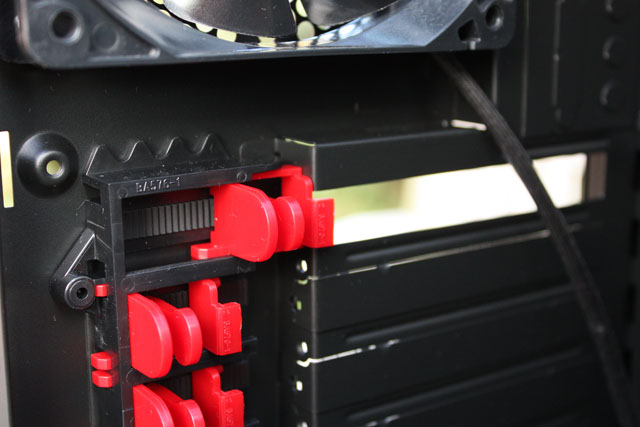
It looks kinda flimsy but it's more robust than I expected.
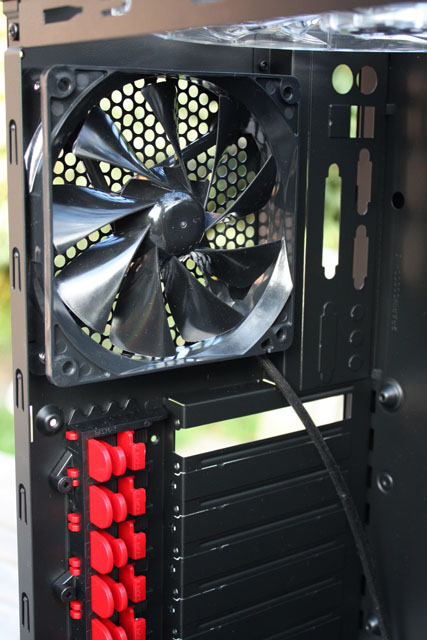
The rear has a 120mm exhaust fan. ThermalTake lists it as a 1300RPM fan with 17dBA noise output, it delivers quite a lot of airflow but it's quite noisy. However, as this fan is connected to your motherboard via a 3-pin header you can easily adjust the fan's speed via tools like Speedfan.
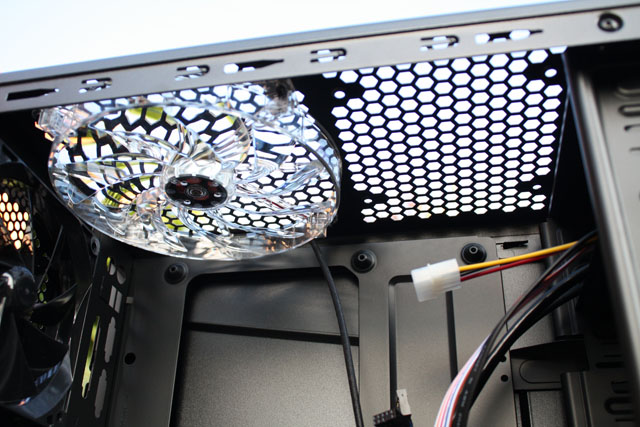
A large 200mm blue LED exhaust fan can is installed in the top of the case and right next to it you can mount an optional 120mm fan. On the picture below you can see one of the major design flaws of this case, the fan is located much too close to the motherboard standoffs and when I installed my hardware into the V6 BlacX I discovered that I had to remove the fan because the blades were touching the 8-pin power connector of my motherboard. There's also a lack of dust filters, dirt can freely fall into your case via the top panel.
 Previous Page (2/5)

Added: September 14th 2010
Product reviewed: ThermalTake V6 BlacX Edition
Reviewer: Thomas De Maesschalck
Score: 6.5/10
Page: 3/5
