Noctua NM-I3 SecuFirm2 Mounting Kit review
To test the NM-I3, I mounted it onto the Noctua NH-U12. The first step is to install the backplate on your motherboard. You first put the four large bolts into the backplate holes appropriate for your motherboard's CPU socket (A for LGA1366, B for LGA1155/1156 and C for LGA775), and then you place the backplate on the rear side of the motherboard so that the bolts stick through the motherboard's mounting holes. Next you put the four plastic spacers onto the bolts and add the mounting bars using the four thumb screws. At this point you can choose the orientation of the cooler, horizontal or vertical. For illustration purposes, I left out the motherboard from my pictures to give you a clearer view of how the mounting mechanism works.
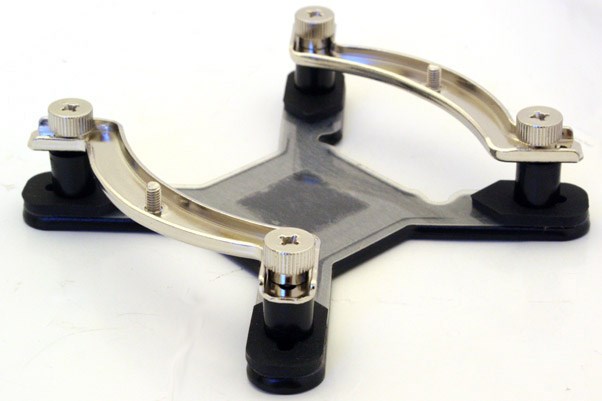
Now that you've prepared the motherboard, it's time to attach the included fastening brackets to the base of the heatsink using the four short screws.
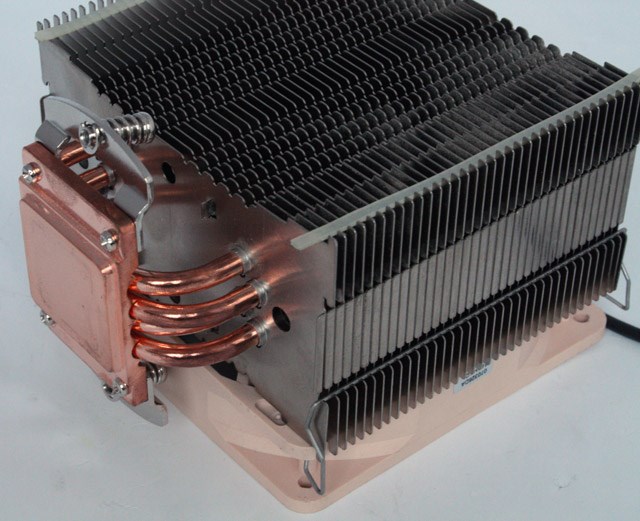
Before the final installation step, you need to apply the thermal paste onto the processor's heatspreader. If there are residual traces of thermal paste or thermal pads on the CPU or the heatsink, please clean them off first as they will lower heat conductivity. The final step is to place the heatsink onto the CPU and screw it to the screw threads of the mounting bars.
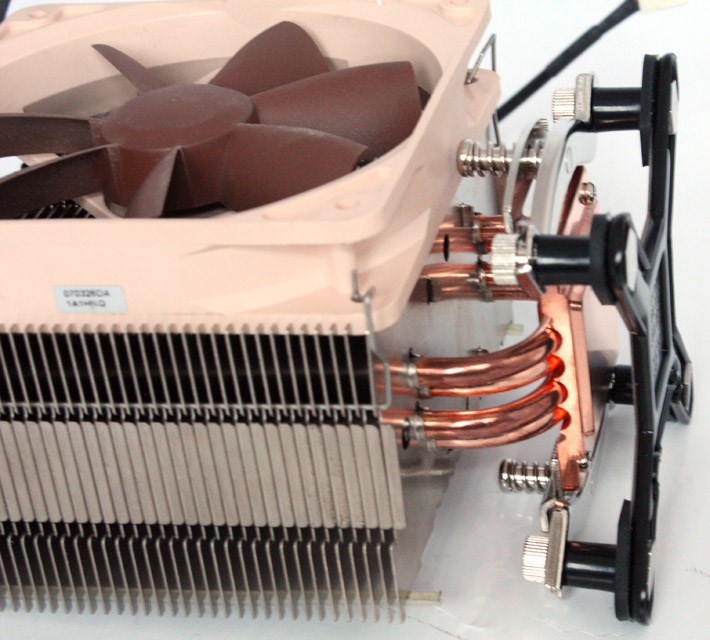
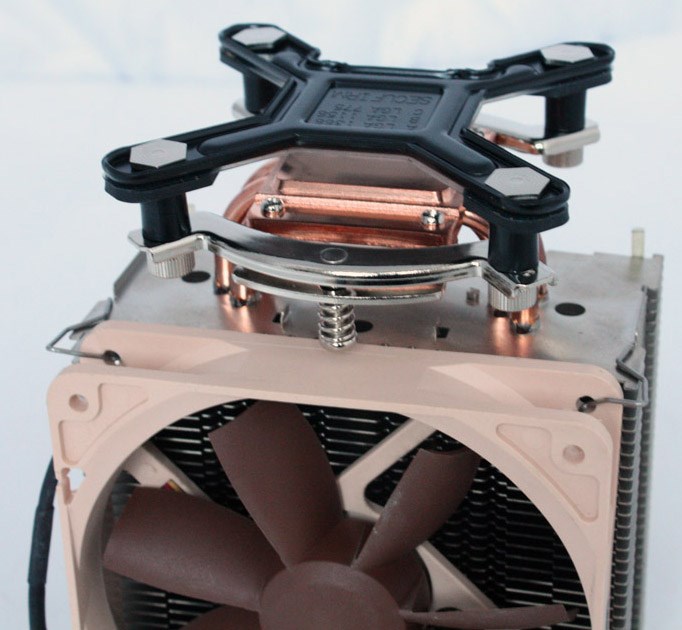
Conclusion
The NM-I3 is a big gift of Noctua to its customers, this mounting kit easily extends the life of your old Noctua HSF by several years. Noctua's SecuFirm is not only easy to install but also has excellent reliability and amazing backward compatibility. Best of all, they ship the NM-I3 to you for free!
The Good Stuff:
The Bad Stuff:
DV Hardware awards the Noctua NM-I3 mounting kit a 10/10 and our Editor's Choice award.

 Previous Page (1/2)
Added: February 22nd 2013
Product reviewed: Noctua NM-I3 SecuFirm2 Mounting Kit
Reviewer: Thomas De Maesschalck
Score: 10/10
Page: 2/2
