Cooler Master Storm Sniper case review
CM Sniper interior
The interior of the Sniper case is grey, unfortunately, Cooler Master didn't give it a black paint job like the rest of the case. The cables are neatly tied together (and there are lots of them), and there's a piece of paper attached to the motherboard plate to aid you with the motherboard standoffs. The power supply is mounted in the bottom on top of two foam pads that reduce vibrational noise. I had no trouble fitting my power supply, but it may be necessary to remove the bottom fan holder in case you want to install a very large power supply (like some 1000W+ units).
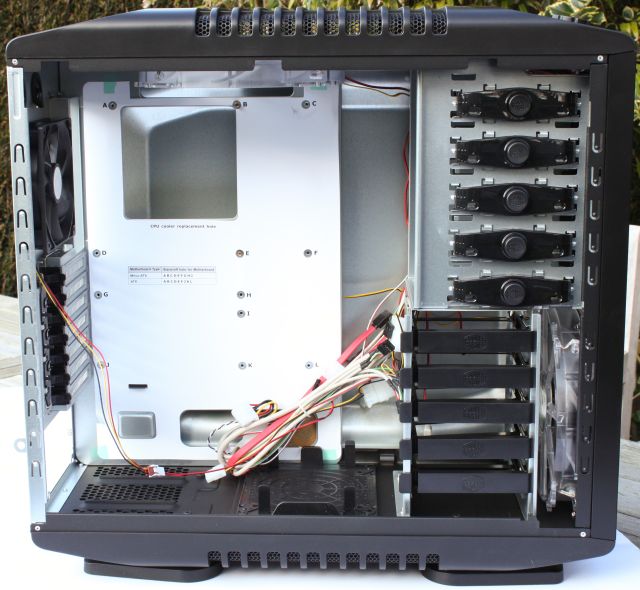
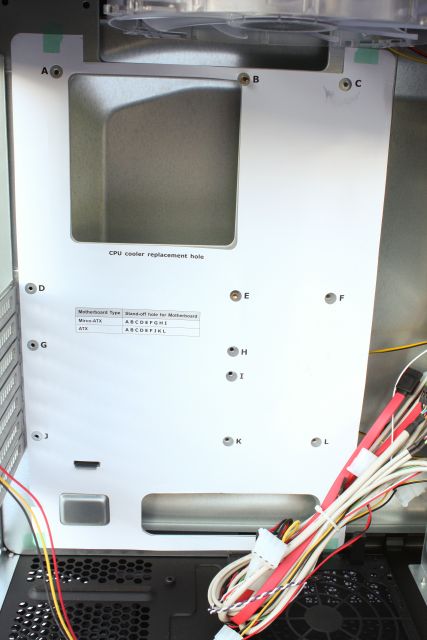
The Cooler Master Sniper supports both ATX and Micro-ATX motherboards, and the letters on the paper will tell you in which holes you need to install the standoffs. It's a nice touch that may speed up the installation by a minute or two. Another nice feature of the Sniper chassis is the CPU cooler replacement hole. This hole will make it easier to swap processor coolers, it gives access to the back of the motherboard and removes the need to take the motherboard out of your case.
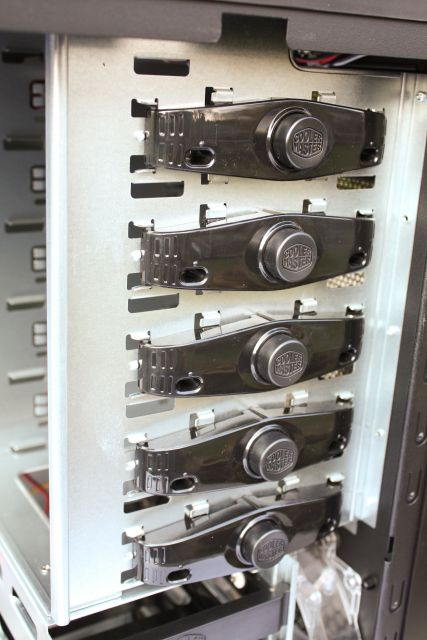
DVD burners and other 5.25" devices can be installed without tools, after removing the front bezel you can slide the drive in one of the five trays and lock it by pressing the round button. Besides a different color scheme, the locking mechanism is identical to the one found on the CM Cosmos case. These trays aren't present on the right side of the case, but it's possible to secure your devices with screws. There's no dedicated drivebay for 3.5" devices, but Cooler Master included tools to install such a device in the bottom 5.25" drivebay.
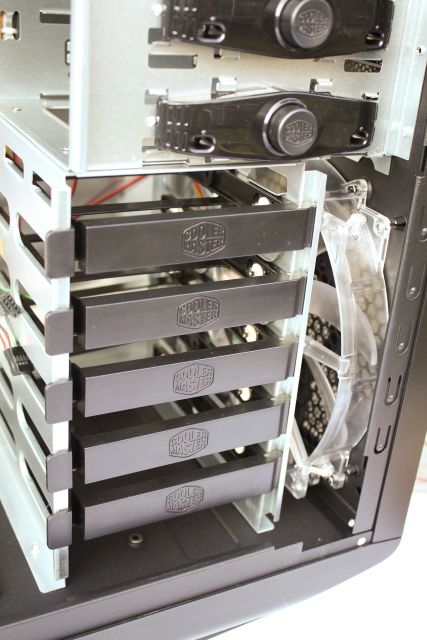
A total of five hard drives can be installed in the Sniper, and they are chilled by a large 200mm fan. It's possible to remove the entire hard drive cage, but this requires quite a bit of work.
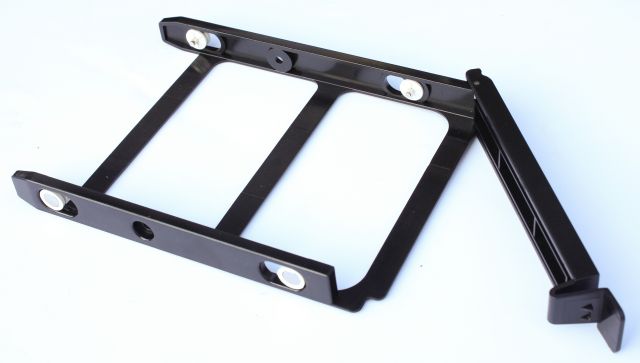
The installation of a hard drive is tool-free, one of the flexible hard drive trays is pictured below. Instead of screws there are four pins that lock the hard drive in place, and they have rubber mounts that absorb vibrational noise. Additionally, it's also possible to use screws.
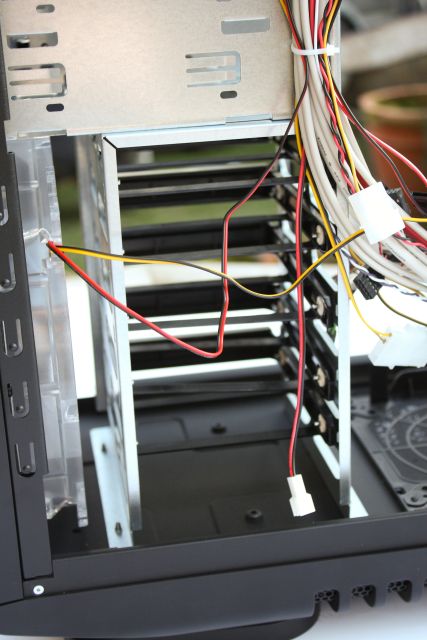
The hard drive cage is very open and the large fan in front of it provides ample airflow. Your HDDs definitely won't get boiling hot in the Sniper.
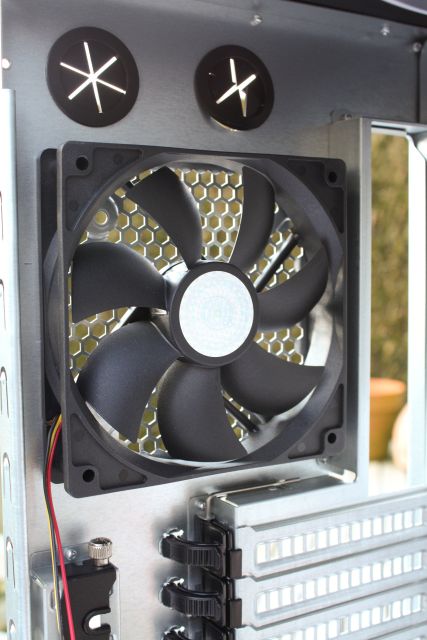
The rear features a 120mm fan, which can be swapped for 80mm or 90mm units.
Expansion cards are installed without tools as well, but I have to admit this tool-free retention mechanism felt rather fragile. The PCI brackets all have ventilation holes for more airflow, and on the left you can see the StormGuard.
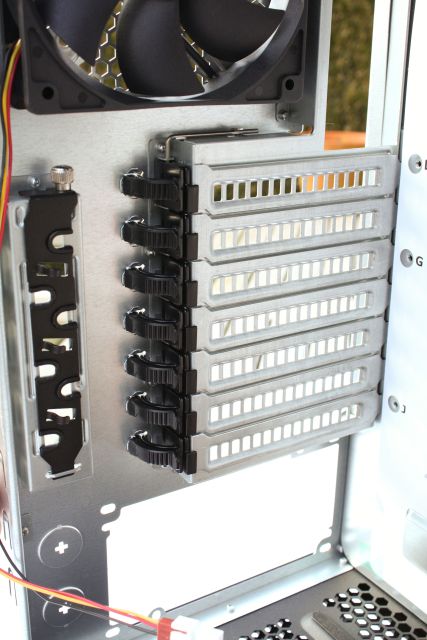
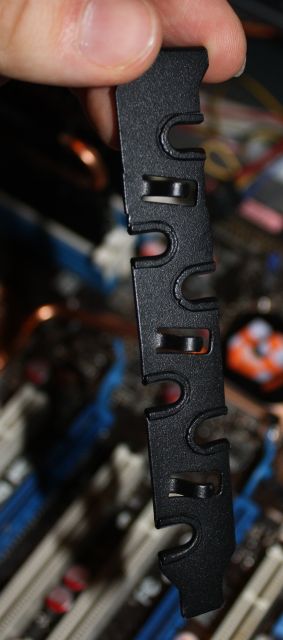
The StormGuard was designed for all the people who frequent LAN parties and are afraid of theft. This bracket can be used to secure the cables of expensive gaming gear like your mouse, keyboard and headpones to your case. It's not perfect because the left side panel can't be locked, but the StormGuard will definitely slow down would-be thieves.
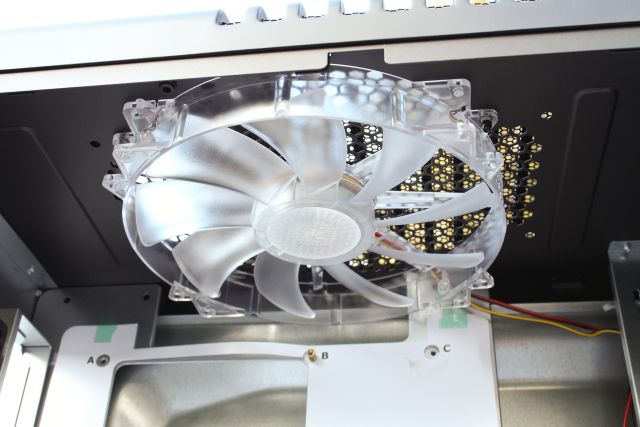
The top of the Sniper features a large 200mm fan, which can be swapped for two 120mm fans or a dual 120mm (120 x 240mm) radiator if you want to use watercooling in this case.
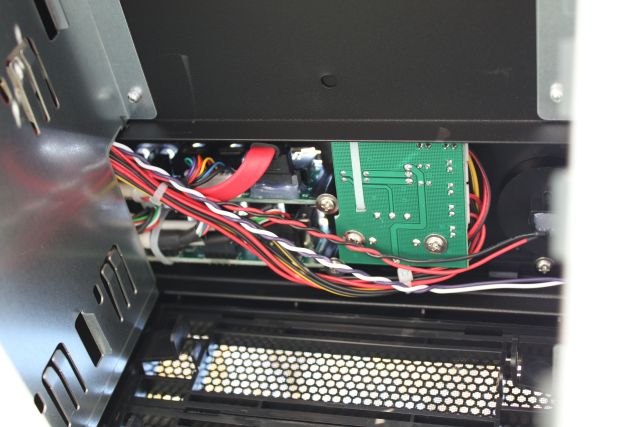
Below is a brief look at the electronics behind the fan and light controller.
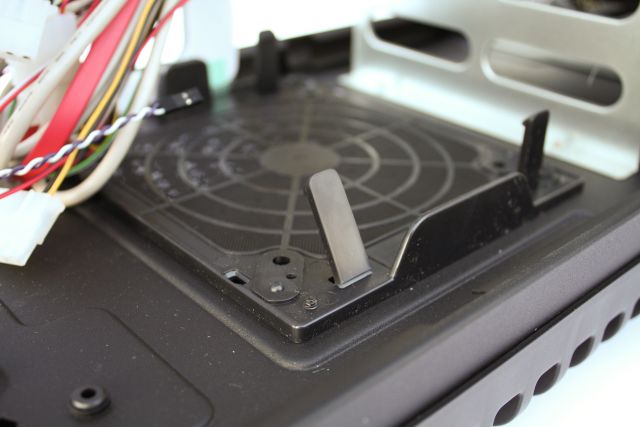
A 140mm fan holder with dust filter is mounted in the bottom of the case. One of the clips accidentally broke off, the build quality of some of the plastic parts like this fan holder and the PCI retention mechanism is rather flimsy.
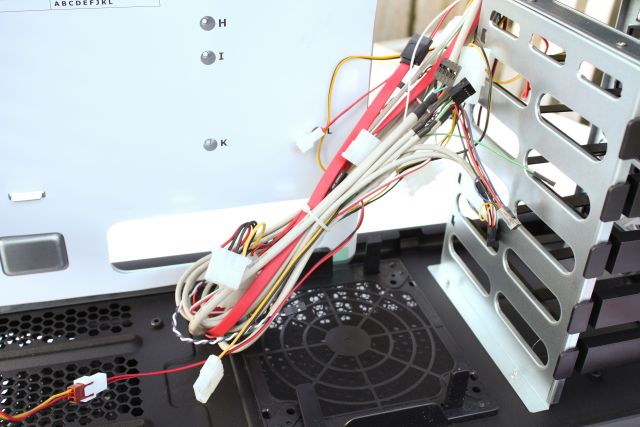
The cable boom is pretty large with all those cables for the I/O panel and the fan controller.
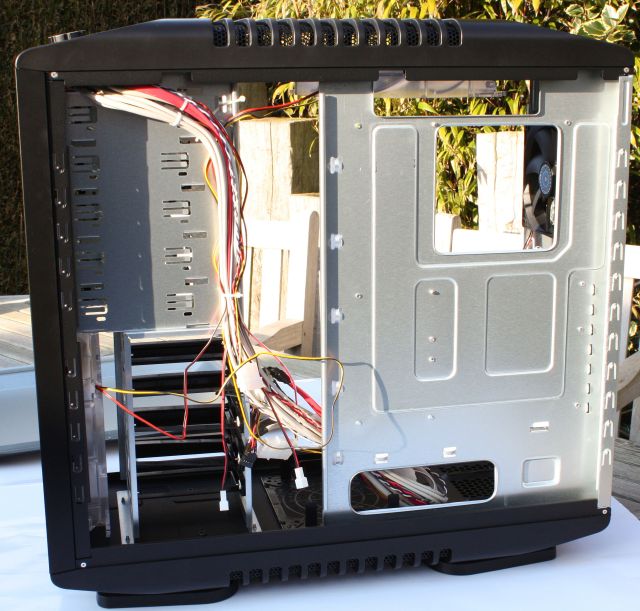
I will end the tour of the interior of the Cooler Master Storm Sniper with a shot of the right side of the case. There are several cutouts and plenty of possibilities for fans of clean and tidy cable management.
 Previous Page (2/4)

Added: March 15th 2009
Product reviewed: Cooler Master Storm Sniper case
Reviewer: Thomas De Maesschalck
Score: 9/10
Page: 3/4
